





サービス一覧
 アクセス人気ランキング

- 雨水枡・雨水浸透桝の水はけが悪く溢れる オーバーフロー対策と掃除の仕方
- 床下で水漏れの原因を調査する費用は?工事や修理にかかる料金も解説
- 塩ビ管パイプのつなぎ目から水漏れした時の応急処置や修理方法について
- グローエの水栓からの水漏れは直せる?蛇口交換でかかる費用は高い?
- 錆が原因で排水管が詰まりを起こしたら?自分で除去することはできる?
- 100均で買える!トイレのつまり取り道具|すっぽんとダイソーの節水グッズ
- 賃貸物件の水漏れで水道代が高額!返金してもらえるの?支払いはいくら?
- グローエ製の水栓から水漏れが起きた時の対処法は?修理や交換方法
- 排水管の錆が原因で詰まりが起きた時の修理方法や業者の料金相場
- シャワーヘッドとホースの間から水漏れは解決法で私でも簡単修理!


新着お役立ち情報
気になる浴槽のつまり、原因から解決策まで徹底解説
洗面所の排水つまりを徹底解決!原因別の対処法と予防策を紹介
自分でできるトイレつまりとり方法:原因・直し方・予防策をわかりやすく解説
台所の水漏れを原因から応急処置・修理までを初心者向けに解説
蛇口からポタポタ水漏れ!自分でできる故障の直し方から業者選びまでを解説
単水栓と混合水栓の水道のパッキン・蛇口の交換費用の相場と交換方法
トイレの水が流れっぱなしの原因と直し方 水道代はどれくらい高い?!
トイレの床が腐る原因は水漏れ? 床の張替え費用とおすすめ床材を紹介
トイレにバリウムが詰まって流れない!固形物になったときの対処法を解説
トイレ便器に付いた尿石の取り方や予防法を解説!ニオイや黄ばみも解消!
お役立ち情報一覧

水漏れ修理 対応サービス一覧
-
トイレの詰まりや
水漏れ修理
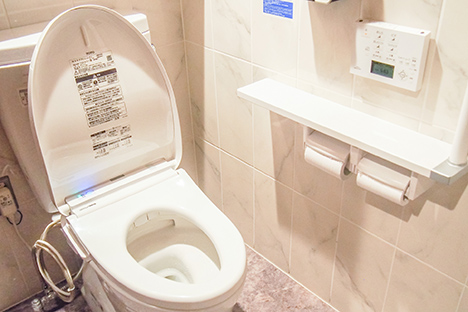
トイレで詰まりが発生したり、便器やタンクなどから水漏れが発生したりすると、床に水が流れ出して階下に漏水したりします。

-
蛇口からの
水漏れ修理
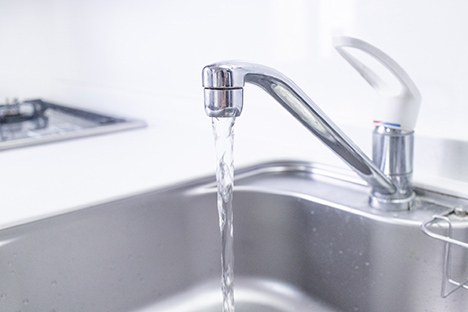
蛇口の故障は水が止まらなくなったり、ハンドルが動かなくなったりと症状は様々ですが、最も多いトラブルは水漏れです。
-
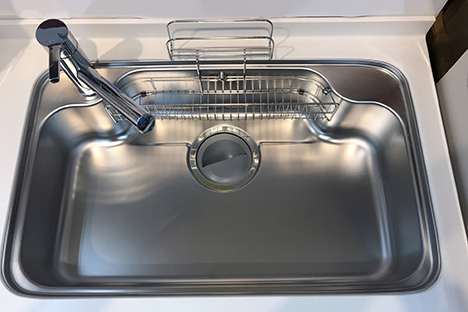
台所での水漏れや
詰まりなどの修理
台所での水漏れが発生する箇所は、蛇口やシンク、シンク下の排水管やパイプなどからで、詰まりが発生すると床に水が流れ出してくる場合もあります。
-
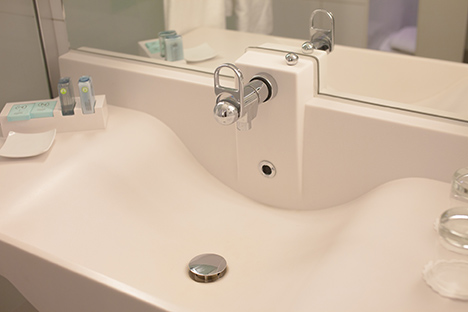
洗面所での故障や
水漏れ
洗面所では洗面台からの水漏れの他に蛇口の故障や水漏れ等が起こりますが、皆さんで出来る範囲の応急処置をして、本格的な修理は専門業者へ依頼する事をおすすめします。
-
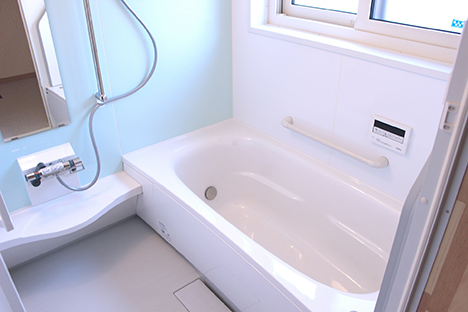
浴室での詰まりや
水漏れ
浴室内では簡単なパーツの修理や部品交換から、排水管の詰まり直しや水漏れ修理の他に内装やレイアウトの変更、大掛かりなリフォーム工事まであらゆる面で対応させていただきます。
-
水まわり全般の
悪臭調査
ご自宅のトイレはもちろんお風呂場やキッチン、洗面所、洗濯場等水まわりのあらゆる場所が悪臭の原因となる場合があります。これらの悪臭を調査し解消するためのお手伝いを致します。



-
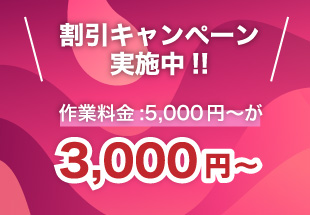
トイレの詰まりや
水漏れ修理¥3,000〜 -
蛇口からの
水漏れ修理¥3,000〜 -
台所での水漏れや
詰まりなどの修理¥3,000〜 -
洗面所での故障や
水漏れ¥3,000〜 -
浴室での詰まりや
水漏れ¥3,000〜 -
水まわり全般の
悪臭調査¥3,000〜
対応クレジットカード
決済には下記クレジットカードをご利用できます。



お問い合わせから修理までの流れ
-

アクアレンジャーにお電話ください
(メールでも承ります)まずは、アクアレンジャーにお電話ください。
電話やメールでお問い合わせいただく際に可能な限りわかる範囲内でけっこうですので状況を教えてください。
問題やトラブルが発生している場所について:
トイレ・台所・浴室・洗面所・洗濯場等々どこの場所からか、
蛇口・給水管・排水管等々どのあたりで起こっているのか、
屋内か屋外か等々。
故障やトラブルの状態について:
少量の水漏れがある。
勢いよく水が漏れてる。
詰まっていて流れない。
詰まったためあふれてしまった等々。
建物の形式について:
戸建・マンション・アパート・会社・オフィス・店舗等々。
だいたいの築年数や使用年数。
故障した箇所の蛇口等のメーカー名や型番:TOTO・INAX(LIXIL)・KVK・SANEI・MYM・松下電工等々。 -
電話でお伺いした状況や内容で
概算のお見積りをお知らせ致します水漏れや詰まり等、トラブルの状況や修理を行う場所や内容によって料金が変動致します。お電話にてお知らせいただいた内容で一度おおまかな概算でのお見積りをお伝え致します。また、ご質問等も合わせてお伺い致します。
お電話の際にご了解、許可を頂きましたら弊社の水まわりトラブル専門のスタッフがお伺いいたします。
-
お伺いした水まわり専門スタッフがトラブルの状態を調査致します。
水まわりトラブルの専門スタッフがお伺いした際にトラブルのある水まわりの状態を調査、点検致します。その際に状況や原因が確認でき緊急度の高いトラブル、症状だった場合に関しましては応急処置等の作業を実施させて頂く場合もあります。また、外観のみで症状がわからなかったり、原因不明の場合はその箇所を分解して点検調査させて頂く場合もございます。
水漏れや詰まり等の修理などトラブルの状態によって必要な処置や修理、必要な部品等が判明した際に詳細のお見積書を提出させていただきます。
-
施工内容とお見積り内容をご確認頂きご契約頂きます。
 弊社専門スタッフが作成しお出しした詳細の作業内容とお見積り内容をご確認頂き次第、速やかに専門スタッフが修理作業を実施致します。ご不明点などあればお気軽にご質問下さい。
工事完了後に作業した箇所から発生した水まわりのトラブルに関しましてはアフターケアをご確認下さい。また、作業内容やお見積り内容に関しましてはしっかりと内容をご確認頂いた上でご契約下さい。
現地にて状態を確認した際、状況によっては交換する部品が増えたり、作業方法が増えたりする場合がございます。
状況を確認した際に今後水漏れや詰まりが発生するおそれ、また可能性がありそうな箇所等を発見した際には、お客様にその状態をご説明しご確認して頂きます。
-
修理作業開始から作業完了まで
ごご契約が完了しましたら弊社の専門スタッフがその場で修理作業を実施致します。
用意が必要な部品や部材がある場合は用意でき次第作業に入らせて頂きます。
修理作業が完了致しましたらお客様に作業後の状態をご確認して頂きます。その際にトラブルがあった箇所の水漏れや詰まりが解消されているかどうかを実際に使用して頂き問題がないかご確認頂きます。
問題がないとご判断頂いた時点で作業完了とさせて頂きます。


 弊社専門スタッフが作成しお出しした詳細の作業内容とお見積り内容をご確認頂き次第、速やかに専門スタッフが修理作業を実施致します。ご不明点などあればお気軽にご質問下さい。

アクアレンジャー4つのポイント
-

作業前のお見積・出張費・基本料に関してはすべてが無料です。
-
お電話一本、メール一通(折り返しお伺い確認のお電話をさせて頂きます)で
最短時間で専門スタッフがすばやく駆けつけます。お気軽にご連絡ください。 -
様々な状況の水まわりのトラブルを専門のスタッフが正確かつ迅速に作業を行い
今まで通り快適に水まわりを使用出来るようにします。 -
作業前に必ずお見積書と口頭にて作業内容のご説明とお見積り内容をご確認頂きます。
内容にご納得頂きました上でご契約を頂き、専門スタッフが修理作業に入らせて頂きます。





ご利用頂いたお客様の声
-
キッチンの蛇口の壁の根元から水が吹き出して大慌でした
東京都杉並区 以前からキッチンで蛇口の根元あたりから水が少し漏れているのには気づいてました。しかし先日、その蛇口の根元から水が吹き出してしまい突然の事で大慌て!!とりあえずネットで見てメモしてあった水道業者に連絡。急いで来て!電話の受付の人が親切で教えてもらった通り元栓を閉めたので一時的に水は止まって一安心!ほっとしたのも束の間、「お待たせしました」早い!もう来た。到着した水道業者の人はすぐに原因を確認し、配管の破損だとわかると素早く見積書を作り内容を説明してくれましたが素人の私にも説明がわかりやすく、料金も思ったほど高くなかったのですぐにお願いしました。作業もさほど時間がかからず、夕飯の支度はいつも通りできました。これでしばらく安心してキッチンが使えます!
-
天井からの水漏れでしたが思ったより簡単な工事でした
神奈川県横浜市今は亡き父が建てたこの家も特に大きなトラブルもなく平穏に住み続けて来ました。しかしこの前廊下の天井から水が漏れてきて大変でした。二階ではどこからも水が漏れている所はなく、原因がわからずにとても心配になりました。ところが知人の紹介で来てもらったアクアレンジャーさんの方に調査してもらうと二階の洗濯場の床下で排水管が破損していてそこから漏れているとの事でした。原因がわかってほっとしましたが、今度は工事が心配になってしまい、天井をはがすの?床をはがすの?とにかく大工事になるだろうと覚悟しました。しかし、実際は洗濯機下の防水パンを外して床を少し切り込んだだけで破損した排水管は簡単に直ってしまいました。大がかりな工事を覚悟していたので本当に助かりました。これからもこの愛着のある家で平穏に暮らせそうです。
-
突然トイレがつまってしまい焦りました
埼玉県さいたま市会社でいつも通りトイレを使ったらつまってしまいました。今まで家でもトイレを使ってもつまった事はなかったのでビックリ!流したら便器に水が逆流してきてあふれたらどうしよう!やばい、あふれる!と思ったところでギリギリ止まってくれました。よかった・・。自宅ならともかくなんで会社で・・。どうしようか迷いましたがとにかく皆んなが気がつく前に直してしまえと思い、掃除道具ロッカーの中にあったスッポンを使ってみたのですが直りません。困った・・。でもたまたま僕は総務の人間だったのでスマホで業者を調べて2Fのトイレに直接来てもらいあっという間に直してもらいました。来てくれた業者さんは慣れているのか電話で事情を説明しておいたおかげか素早く直し帰って行きました。電光石火の仕事!助かった!!誰にも気付かれず短時間で直す事が出来、何よりも安くてポケットマネーでなんとかなったのでよかったです。感謝!
-
浴室シャワーを使用中にお湯が止まらなくなりましたが、すぐに直り助かりました
東京都大田区主人が仕事から帰って来てお風呂に入っていたら突然シャワーが止まらなくなってしまった様で慌てて大きな声が聞こえてきたんです。でも、私は慌てません。以前台所の修理をアクアレンジャーさんにお願いした事があったのでこんな時のために電話番号はすぐ目に入る所に貼っておいたのです。今回も連絡をすると以前とは違うスタッフの方でしたが前の方と同じで感じが良く安心してお願いしました。水が出っぱなしで水道代がちょっと心配でしたが、作業時間も早くて作業後には心配していた水道代の事や次になった時の自分で出来る対処法なんかを教えてくれて、ちょっと感動です。水道のトラブルは何度も起こらない方が良いのでしょうが、万が一次に何かあった時も安心してお願い出来そうです。
-
トイレのタンクの中で水漏れ。直って良かった
千葉県浦安市久しぶりの休みの日に一人家でゴロゴロしていたら「ポタポタ」と何やら静かな家の中で水の落ちる様な音が聞こえて来ました。ワンルームマンションなので音の原因がトイレからなのはすぐに気がつきました。しかし、トイレのタンクの中から「ポタポタ」と音がしているだけなので大丈夫だろうとほっぽいておいたのです。(床に水が漏れてたら、慌てて水道屋さんを呼んだのに!)ところが先日水道料金がいつもより増えていて慌てて水道局に連絡すると、何処かで水漏れしている心あたりはありませんか?と聞かれ、あっ!トイレだ!すぐに思い出しました。あの時すぐに直していれば・・・。そしてその日のうちに水道屋さんに依頼し直してもらいました。思ってたよりも親切な人が来てくれたので色々な水道の話しを聞かせてくれてちょっとした知識を覚えてしまいました。しかし、とにかく直ってくれて良かったです。
 以前からキッチンで蛇口の根元あたりから水が少し漏れているのには気づいてました。しかし先日、その蛇口の根元から水が吹き出してしまい突然の事で大慌て!!とりあえずネットで見てメモしてあった水道業者に連絡。急いで来て!電話の受付の人が親切で教えてもらった通り元栓を閉めたので一時的に水は止まって一安心!ほっとしたのも束の間、「お待たせしました」早い!もう来た。到着した水道業者の人はすぐに原因を確認し、配管の破損だとわかると素早く見積書を作り内容を説明してくれましたが素人の私にも説明がわかりやすく、料金も思ったほど高くなかったのですぐにお願いしました。作業もさほど時間がかからず、夕飯の支度はいつも通りできました。これでしばらく安心してキッチンが使えます!
 今は亡き父が建てたこの家も特に大きなトラブルもなく平穏に住み続けて来ました。しかしこの前廊下の天井から水が漏れてきて大変でした。二階ではどこからも水が漏れている所はなく、原因がわからずにとても心配になりました。ところが知人の紹介で来てもらったアクアレンジャーさんの方に調査してもらうと二階の洗濯場の床下で排水管が破損していてそこから漏れているとの事でした。原因がわかってほっとしましたが、今度は工事が心配になってしまい、天井をはがすの?床をはがすの?とにかく大工事になるだろうと覚悟しました。しかし、実際は洗濯機下の防水パンを外して床を少し切り込んだだけで破損した排水管は簡単に直ってしまいました。大がかりな工事を覚悟していたので本当に助かりました。これからもこの愛着のある家で平穏に暮らせそうです。
 会社でいつも通りトイレを使ったらつまってしまいました。今まで家でもトイレを使ってもつまった事はなかったのでビックリ!流したら便器に水が逆流してきてあふれたらどうしよう!やばい、あふれる!と思ったところでギリギリ止まってくれました。よかった・・。自宅ならともかくなんで会社で・・。どうしようか迷いましたがとにかく皆んなが気がつく前に直してしまえと思い、掃除道具ロッカーの中にあったスッポンを使ってみたのですが直りません。困った・・。でもたまたま僕は総務の人間だったのでスマホで業者を調べて2Fのトイレに直接来てもらいあっという間に直してもらいました。来てくれた業者さんは慣れているのか電話で事情を説明しておいたおかげか素早く直し帰って行きました。電光石火の仕事!助かった!!誰にも気付かれず短時間で直す事が出来、何よりも安くてポケットマネーでなんとかなったのでよかったです。感謝!
 主人が仕事から帰って来てお風呂に入っていたら突然シャワーが止まらなくなってしまった様で慌てて大きな声が聞こえてきたんです。でも、私は慌てません。以前台所の修理をアクアレンジャーさんにお願いした事があったのでこんな時のために電話番号はすぐ目に入る所に貼っておいたのです。今回も連絡をすると以前とは違うスタッフの方でしたが前の方と同じで感じが良く安心してお願いしました。水が出っぱなしで水道代がちょっと心配でしたが、作業時間も早くて作業後には心配していた水道代の事や次になった時の自分で出来る対処法なんかを教えてくれて、ちょっと感動です。水道のトラブルは何度も起こらない方が良いのでしょうが、万が一次に何かあった時も安心してお願い出来そうです。
 久しぶりの休みの日に一人家でゴロゴロしていたら「ポタポタ」と何やら静かな家の中で水の落ちる様な音が聞こえて来ました。ワンルームマンションなので音の原因がトイレからなのはすぐに気がつきました。しかし、トイレのタンクの中から「ポタポタ」と音がしているだけなので大丈夫だろうとほっぽいておいたのです。(床に水が漏れてたら、慌てて水道屋さんを呼んだのに!)ところが先日水道料金がいつもより増えていて慌てて水道局に連絡すると、何処かで水漏れしている心あたりはありませんか?と聞かれ、あっ!トイレだ!すぐに思い出しました。あの時すぐに直していれば・・・。そしてその日のうちに水道屋さんに依頼し直してもらいました。思ってたよりも親切な人が来てくれたので色々な水道の話しを聞かせてくれてちょっとした知識を覚えてしまいました。しかし、とにかく直ってくれて良かったです。